DWD日志数据分流
前置条件
flowchart LR
    subgraph 数据源
        A[📦 mock-data.jar]
    end

    A -->|写入| B[📄 app.log<br>用户行为日志]
    A -->|写入| C[🐬 MySQL<br>业务数据]

    subgraph 采集层
        D[🔄 Flume]
        E[⚡ Maxwell]
    end

    B -->|TailDir 读取| D
    C -->|Binlog 监听| E

    subgraph 消息队列
        F[📨 Kafka<br>Topic: topic_log]
        G[📨 Kafka<br>Topic: topic_db]
    end

    D -->|发送| F
    E -->|发送| G

    classDef logBranch fill:#FFA500,stroke:#CC8400,stroke-width:2px,color:#fff;
class B,D,F logBranch;为完成后续开发,需要保证突出显示的日志采集链路是通畅的。
主程序
创建包com.zhangsan.edu.dwd.log
public class BaseLogApp {
    public static void main(String[] args) throws Exception {

        // TODO 1. 环境准备及状态后端设置
        StreamExecutionEnvironment env = EnvUtil.getExecutionEnvironment(4);

        env.execute();

    }
}
从 Kafka 读取主流数据
// TODO 2. 从 Kafka 读取主流数据
String topic = "topic_log";
String groupId = "base_log_app";
DataStreamSource<String> source = env.fromSource(KafkaUtil.getKafkaConsumer(topic, groupId),
        WatermarkStrategy.noWatermarks(), "base_log_source");
source.print();
启动程序,观察执行结果。
如果无法消费到数据,观察一下 log_position.json 文件的读取位置。
脏数据分流
OutputTag 是 Flink 用于侧输出(Side Output)的核心 API。
| 特性 | 说明 |
|---|---|
| 作用 | 标记并输出"额外"的数据流 |
| 泛型 | 指定侧输出流中数据的类型 |
| 标识 | 通过名称(String)区分不同的侧输出 |
定义错误侧输出流Tag
// TODO 3. 数据清洗,转换结构
// 3.1 定义错误侧输出流
OutputTag<String> dirtyStreamTag = new OutputTag<String>("dirtyStream") {
};
flowchart LR
    A[输入数据 jsonStr] --> B[JSON.parseObject 解析]

    B --> C{解析成功?}

    C -->|是| D[out.collect<br/>→ 主流]
    C -->|否| E[ctx.output dirtyStreamTag<br/>→ 侧输出]

    D --> F[干净数据流]
E --> G[脏数据流]分流(过滤脏数据)
// 3.2 分流(过滤脏数据),转换主流数据结构 jsonStr -> jsonObj
SingleOutputStreamOperator<JSONObject> cleanedStream = source.process(
        new ProcessFunction<String, JSONObject>() {
            @Override
            public void processElement(String jsonStr, Context ctx, Collector<JSONObject> out) throws Exception {
                try {
                    JSONObject jsonObj = JSON.parseObject(jsonStr);
                    out.collect(jsonObj);                // 主流
                } catch (Exception e) {
                    ctx.output(dirtyStreamTag, jsonStr); // 侧输出
                }
            }
        }
);
脏数据虽然通过 ctx.output() 写入了侧输出,但你还没有拿到它。脏数据藏在 cleanedStream 内部,需要用 getSideOutput() 才能单独拿到这个侧输出流进行后续处理。
| 操作 | 作用 | 说明 |
|---|---|---|
ctx.output(tag, data) |
写入侧输出 | 把数据放进"侧输出的盒子"里 |
getSideOutput(tag) |
提取侧输出 | 从主流结果中取出侧输出流 |
// 3.3 将脏数据写出到 Kafka 指定主题
DataStream<String> dirtyStream = cleanedStream.getSideOutput(dirtyStreamTag);
dirtyStream.print();
输入
由于我们已经在flume中通过拦截器的方式拦截掉了非法的JSON,所以我们在这里根本就不会碰到非法数据流,为了方便观察效果,我们可以手动向topic_log中写几条测试数据,其中包含非法的JSON。
(base) [zhangsan@node1 log]$ kafka-console-producer.sh --bootstrap-server node1:9092,node2:9092,node3:9092 --topic topic_log
{"id":1,"name":"张三","email":"zhangsan@example.com","isValid":true,"reason":null}
{"id":2,"name":"李四","email":"lisi@example.com","isValid":true,"reason":null}
{"id":3,"name":"王五","email":"wangwu@example.com","isValid":true,"reason":null}
{"id":4,"name":"","email":"invalid-email","isValid":false,"reason":
:5,"name":"赵六","email":null,"isValid":false,"reason":"邮箱不能为空"}
Flink输出
1> {"id":4,"name":"","email":"invalid-email","isValid":false,"reason":
1> :5,"name":"赵六","email":null,"isValid":false,"reason":"邮箱不能为空"}
存入Kafa
Kafka生产者
在 KafkaUtil工具类中补充 getKafkaProducer() 方法
public static KafkaSink<String> getKafkaProducer(String topic, String transId) {
    return KafkaSink.<String>builder()
            .setBootstrapServers(EduConfig.KAFKA_BOOTSTRAPS)
            .setRecordSerializer(KafkaRecordSerializationSchema.builder()
                    .setTopic(topic)
                    .setValueSerializationSchema(new SimpleStringSchema())
                    .build()
            )
            .setProperty(ProducerConfig.TRANSACTION_TIMEOUT_CONFIG, 15 * 60 * 1000 + "")
            //指定生产的精准一次性
            .setDeliveryGuarantee(DeliveryGuarantee.EXACTLY_ONCE)
            //如果生产的精准一次性消费   那么每一个流数据在做向kakfa写入的时候  都会生成一个transId,默认名字生成规则相同,会冲突,我们这里指定前缀进行区分
            .setTransactionalIdPrefix(transId)
            .build();
}
Sink
String dirtyTopic = "dirty_data";
dirtyStream.sinkTo(KafkaUtil.getKafkaProducer(dirtyTopic, "dirty_trans"));
测试
消费dirty_data,测试Sink结果
[zhangsan@node1 ~]$ kafka-console-consumer.sh --bootstrap-server node1:9092,node2:9092,node3:9092 --topic dirty_data --from-beginning
{"id":4,"name":"","email":"invalid-email","isValid":false,"reason":
:5,"name":"赵六","email":null,"isValid":false,"reason":"邮箱不能为空"}
日期格式化
创建 DateFormatUtil工具类用于日期格式化
import java.time.LocalDateTime;
import java.time.LocalTime;
import java.time.ZoneId;
import java.time.ZoneOffset;
import java.time.format.DateTimeFormatter;
import java.util.Date;

public class DateFormatUtil {

    private static final DateTimeFormatter dtf = DateTimeFormatter.ofPattern("yyyy-MM-dd");
    private static final DateTimeFormatter dtfFull = DateTimeFormatter.ofPattern("yyyy-MM-dd HH:mm:ss");

    public static Long toTs(String dtStr, boolean isFull) {

        LocalDateTime localDateTime = null;
        if (!isFull) {
            dtStr = dtStr + " 00:00:00";
        }
        localDateTime = LocalDateTime.parse(dtStr, dtfFull);

        return localDateTime.toInstant(ZoneOffset.of("+8")).toEpochMilli();
    }

    public static Long toTs(String dtStr) {
        return toTs(dtStr, false);
    }

    public static String toDate(Long ts) {
        Date dt = new Date(ts);
        LocalDateTime localDateTime = LocalDateTime.ofInstant(dt.toInstant(), ZoneId.systemDefault());
        return dtf.format(localDateTime);
    }

    public static String toYmdHms(Long ts) {
        Date dt = new Date(ts);
        LocalDateTime localDateTime = LocalDateTime.ofInstant(dt.toInstant(), ZoneId.systemDefault());
        return dtfFull.format(localDateTime);
    }
}
测试一下日期转换工具类
    public static void main(String[] args) {
        System.out.println(System.currentTimeMillis());
        System.out.println(toYmdHms(System.currentTimeMillis()));
        System.out.println(toTs("2021-01-01"));
        System.out.println(toDate(System.currentTimeMillis()));
    }
日志类型
前端埋点获取的日志可分为三大类:
-
启动日志
-
播放日志
-
页面日志
日志结构分析
前端埋点构造的 JSON 字符串(日志) 设置了common、start、page、displays、actions、appVideo、err、ts 八种字段。其中
公共字段
| 公共字段 | 描述 | 出现条件 / 所属日志类型 |
|---|---|---|
| ts | 时间戳,单位:毫秒 | 必选 |
| common | 公共信息 | 必选 |
可选字段
| 公共字段 | 描述 | 出现条件 / 所属日志类型 |
|---|---|---|
| err | 错误信息 | 可选 |
特有字段
| 独有字段 | 二级字段 | 描述 | 出现条件 / 所属日志类型 |
|---|---|---|---|
| start | 启动信息 | 启动日志(独有) | |
| appVideo | 视频播放记录 | 播放日志(独有) | |
| page | 页面信息 | 页面日志(独有) | |
| actions | 动作信息 | 动作日志(属于页面日志,必有 page 字段) |
|
| displays | 曝光信息 | 曝光日志(属于页面日志,必有 page 字段) |
六种日志分流
graph TD
    A[日志数据] -->|err 字段非空| B[错误 Topic]
    A -->|存在 start 字段| C[启动 Topic]
    A -->|存在 appVideo 字段| D[播放 Topic]
    A -->|其他情况(页面日志)| G[页面 Topic]

    G -->|存在 displays 字段| E[曝光 Topic]
    G -->|存在 actions 字段| F[动作 Topic]

    %% 分支连线颜色
    linkStyle 0 stroke:#ff3333,stroke-width:2px
    linkStyle 1,2 stroke:#33cc33,stroke-width:2px
    linkStyle 3 stroke:#ff9933,stroke-width:2px
    linkStyle 4,5 stroke:#33cc33,stroke-width:2px

    %% 节点颜色
    style A fill:#f0f0f0,stroke:#999,stroke-width:1px
    style B fill:#ffe6e6,stroke:#ff3333,stroke-width:2px
    style C fill:#e6ffe6,stroke:#33cc33,stroke-width:2px
    style D fill:#e6ffe6,stroke:#33cc33,stroke-width:2px
    style E fill:#e6ffe6,stroke:#33cc33,stroke-width:2px
    style F fill:#e6ffe6,stroke:#33cc33,stroke-width:2px
    style G fill:#fff0e6,stroke:#ff9933,stroke-width:2px
// TODO 5. 分流
// 5.1 定义启动、曝光、动作、错误、播放侧输出流
OutputTag<String> startTag = new OutputTag<String>("startTag") {
};
OutputTag<String> displayTag = new OutputTag<String>("displayTag") {
};
OutputTag<String> actionTag = new OutputTag<String>("actionTag") {
};
OutputTag<String> errorTag = new OutputTag<String>("errorTag") {
};
OutputTag<String> appVideoTag = new OutputTag<String>("appVideoTag") {
};
// 5.2 分流
SingleOutputStreamOperator<String> separatedStream = fixedStream.process(
new ProcessFunction<JSONObject, String>() {
@Override
public void processElement(JSONObject jsonObj, Context context, Collector<String> out) throws Exception {
// 5.2.1 收集错误数据
JSONObject error = jsonObj.getJSONObject("err");
if (error != null) {
context.output(errorTag, jsonObj.toJSONString());
}
// 剔除 "err" 字段
jsonObj.remove("err");
// 5.2.2 收集启动数据
JSONObject start = jsonObj.getJSONObject("start");
if (start != null) {
context.output(startTag, jsonObj.toJSONString());
} else {
// 获取 "common" 字段
JSONObject common = jsonObj.getJSONObject("common");
// 获取 "ts"
Long ts = jsonObj.getLong("ts");
JSONObject appVideo = jsonObj.getJSONObject("appVideo");
// 5.2.3 收集播放数据
if (appVideo != null) {
context.output(appVideoTag, jsonObj.toJSONString());
} else {
// 获取 "page" 字段
JSONObject page = jsonObj.getJSONObject("page");
// 5.2.4 收集曝光数据
JSONArray displays = jsonObj.getJSONArray("displays");
if (displays != null) {
for (int i = 0; i < displays.size(); i++) {
JSONObject display = displays.getJSONObject(i);
JSONObject displayObj = new JSONObject();
displayObj.put("display", display);
displayObj.put("common", common);
displayObj.put("page", page);
displayObj.put("ts", ts);
context.output(displayTag, displayObj.toJSONString());
}
}
// 5.2.5 收集动作数据
JSONArray actions = jsonObj.getJSONArray("actions");
if (actions != null) {
for (int i = 0; i < actions.size(); i++) {
JSONObject action = actions.getJSONObject(i);
JSONObject actionObj = new JSONObject();
actionObj.put("action", action);
actionObj.put("common", common);
actionObj.put("page", page);
context.output(actionTag, actionObj.toJSONString());
}
}
// 5.2.6 收集页面数据
jsonObj.remove("displays");
jsonObj.remove("actions");
out.collect(jsonObj.toJSONString());
}
}
}
}
);
打印分流效果
// 打印主流和各侧输出流查看分流效果
separatedStream.print("page>>>");
separatedStream.getSideOutput(startTag).print("start!!!");
separatedStream.getSideOutput(displayTag).print("display@@@");
separatedStream.getSideOutput(actionTag).print("action###");
separatedStream.getSideOutput(errorTag).print("error$$$");
separatedStream.getSideOutput(appVideoTag).print("appVideo$$$");
将数据输出到 Kafka 的不同主题
// TODO 6. 将数据输出到 Kafka 的不同主题
// 6.1 提取各侧输出流
DataStream<String> startDS = separatedStream.getSideOutput(startTag);
DataStream<String> displayDS = separatedStream.getSideOutput(displayTag);
DataStream<String> actionDS = separatedStream.getSideOutput(actionTag);
DataStream<String> errorDS = separatedStream.getSideOutput(errorTag);
DataStream<String> appVideoDS = separatedStream.getSideOutput(appVideoTag);

// 6.2 定义不同日志输出到 Kafka 的主题名称
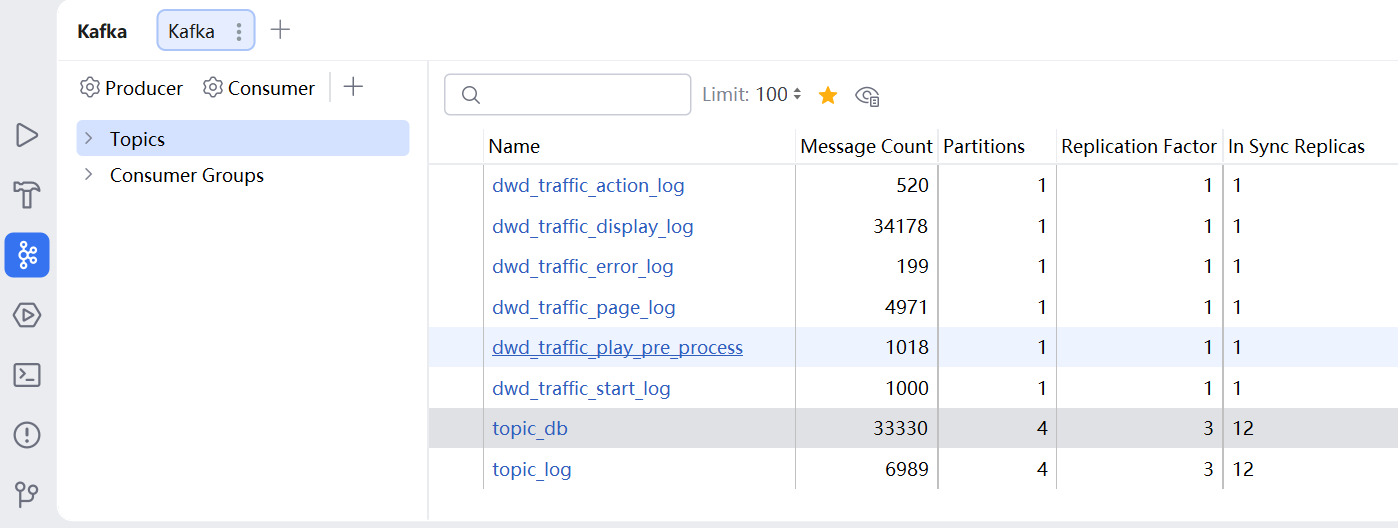
String page_topic = "dwd_traffic_page_log";
String start_topic = "dwd_traffic_start_log";
String display_topic = "dwd_traffic_display_log";
String action_topic = "dwd_traffic_action_log";
String error_topic = "dwd_traffic_error_log";
String app_video_topic = "dwd_traffic_play_pre_process";

separatedStream.sinkTo(KafkaUtil.getKafkaProducer(page_topic, "page_trans"));
startDS.sinkTo(KafkaUtil.getKafkaProducer(start_topic, "start_trans"));
displayDS.sinkTo(KafkaUtil.getKafkaProducer(display_topic, "display_trans"));
actionDS.sinkTo(KafkaUtil.getKafkaProducer(action_topic, "action_trans"));
errorDS.sinkTo(KafkaUtil.getKafkaProducer(error_topic, "error_trans"));
appVideoDS.sinkTo(KafkaUtil.getKafkaProducer(app_video_topic, "app_video_trans"));
查看分流结果
IDEA插件
消费测试
[zhangsan@node1 edu]$ kafka-console-producer.sh --bootstrap-server node1:9092,node2:9092,node3:9092 --topic dwd_traffic_start_log
Other
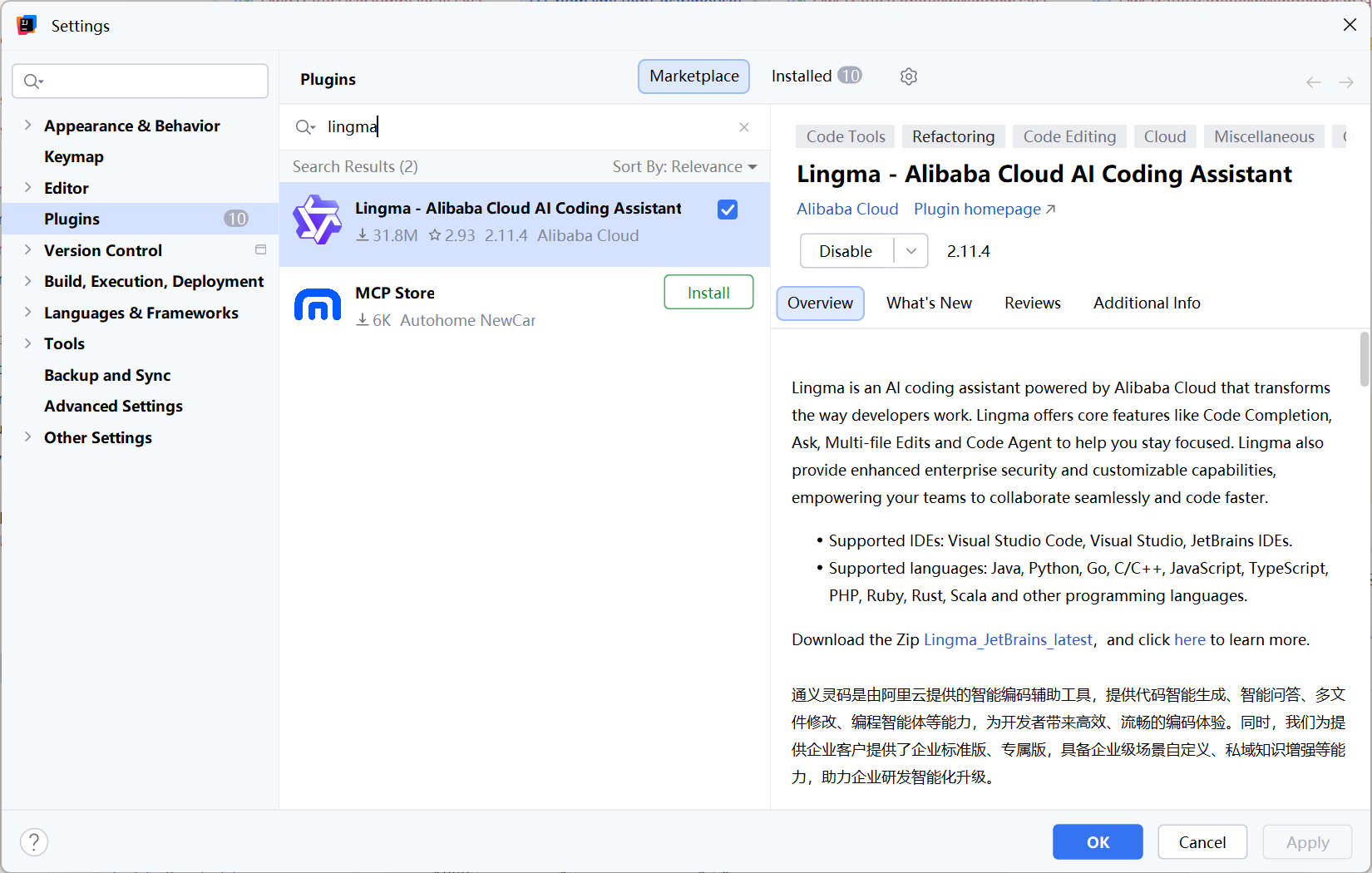
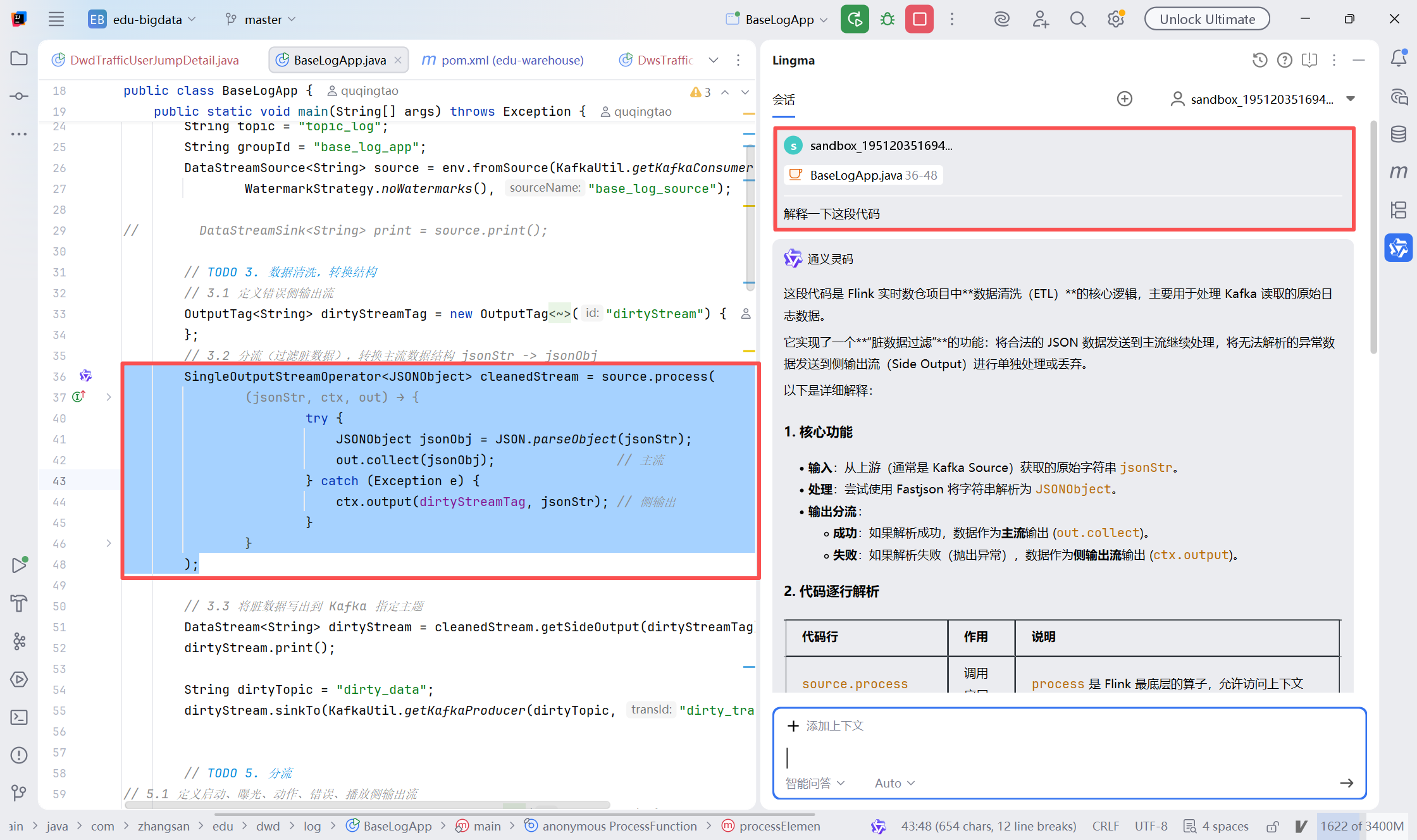
可以在IDEA中安装AI编程插件,使用AI辅助我们编写代码,比如 阿里的灵码,腾讯的 Code Buddy。