数仓开发之DIM层(接收Kafka数据)
ODS层
采集到 Kafka 的
- topic_log
- topic_db
主题的数据即为实时数仓的 ODS 层,这一层的作用是对数据做原样展示和备份。
前置条件
flowchart LR
    subgraph 数据源
        A[📦 mock-data.jar]
    end

    A -->|写入| B[📄 app.log<br>用户行为日志]
    A -->|写入| C[🐬 MySQL<br>业务数据]

    subgraph 采集层
        D[🔄 Flume]
        E[⚡ Maxwell]
    end

    B -->|TailDir 读取| D
    C -->|Binlog 监听| E

    subgraph 消息队列
        F[📨 Kafka<br>Topic: topic_log]
        G[📨 Kafka<br>Topic: topic_db]
    end

    D -->|发送| F
    E -->|发送| G

    classDef logBranch fill:#FFA500,stroke:#CC8400,stroke-width:2px,color:#fff;
    class C,E,G logBranch;
确保图中突出显示的路径是通畅的。
DIM层设计
- DIM层的设计依据是维度建模理论,该层存储维度模型的维度表。
- 在实时计算中一般把维度数据写入存储容器
- DIM 层表是用于维度关联的,要通过主键去获取相关维度信息,这种场景下 K-V 类型数据库的效率较高。常见的 K-V 类型数据库有 Redis、HBase,而 Redis 的数据常驻内存,会给内存造成较大压力,因而选用 HBase 存储维度数据。
开发
过滤空值数据
新增Module
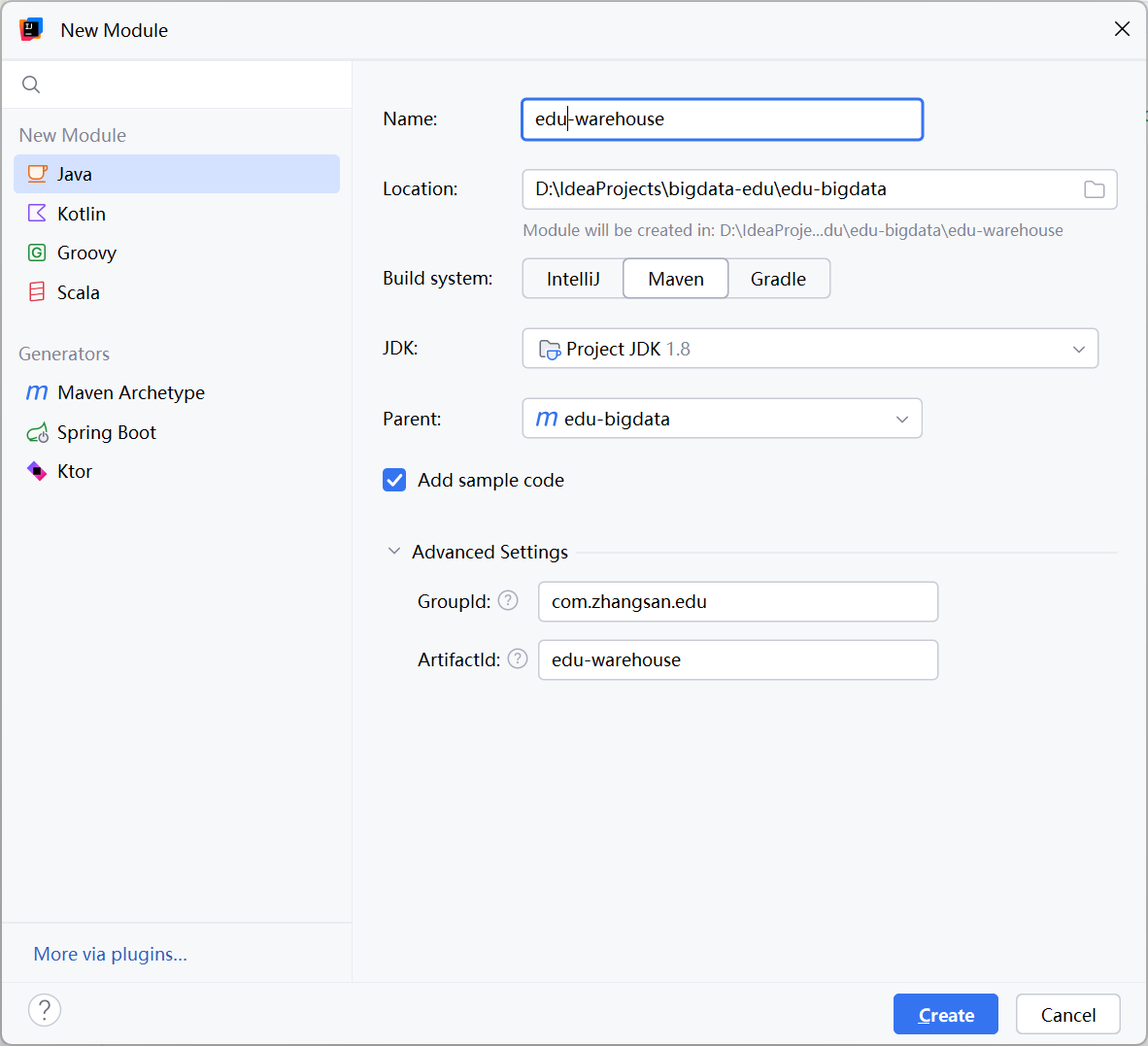
对Maxwell抓取的数据进行ETL,有用的部分保留,没用的过滤掉。
graph LR
    A[Kafka Topic<br>Topic: topic_db] -->|KafkaSource 消费| B[Flink KafkaSource]
    B --> C[JSON 解析/校验]
C -->|解析成功| D["控制台输出 Sink<br/>(print)"]添加依赖
在此module中添加依赖
        <hadoop.version>3.3.1</hadoop.version>

        <dependency>
            <groupId>org.apache.flink</groupId>
            <artifactId>flink-connector-kafka</artifactId>
            <version>${flink.version}</version>
        </dependency>

        <dependency>
            <groupId>com.alibaba</groupId>
            <artifactId>fastjson</artifactId>
            <version>1.2.68</version>
        </dependency>

        <!--如果保存检查点到hdfs上,需要引入此依赖-->
        <dependency>
            <groupId>org.apache.hadoop</groupId>
            <artifactId>hadoop-client</artifactId>
            <version>${hadoop.version}</version>
        </dependency>
创建包com.姓名全拼.edu.util
创建配置类
创建包com.zhangsan.edu.common,并在该包中创建EduConfig类。
public class EduConfig {
    // kafka连接地址
    public static final String KAFKA_BOOTSTRAPS = "node1:9092,node2:9092,node3:9092";
}
创建工具类
创建包com.zhangsan.edu.util,后续我们会在该包中创建需要用到的工具类。
KafkaUtil
Flink与Kafka 交互要用到 Flink 提供的 FlinkKafkaConsumer、FlinkKafkaProducer 类,为了提高模板代码的复用性,将其封装到KafkaUtil工具类中。
此处从 Kafka 读取数据,创建 getKafkaConsumer(String topic, String groupId) 方法
public class KafkaUtil {

    public static KafkaSource<String> getKafkaConsumer(String topic, String groupId) {

        return KafkaSource.<String>builder()
                .setBootstrapServers(EduConfig.KAFKA_BOOTSTRAPS)
                .setTopics(topic)
                .setGroupId(groupId)
                .setStartingOffsets(OffsetsInitializer.committedOffsets(OffsetResetStrategy.LATEST))
                .setValueOnlyDeserializer(new DeserializationSchema<String>() {
                    @Override
                    public String deserialize(byte[] bytes) throws IOException {
                        if (bytes != null && bytes.length != 0) {
                            return new String(bytes);
                        }
                        return null;
                    }

                    @Override
                    public boolean isEndOfStream(String s) {
                        return false;
                    }

                    @Override
                    public TypeInformation<String> getProducedType() {
                        return TypeInformation.of(String.class);
                    }
                })
                .build();
    }
}
EnvUtil
本项目所有 Flink 程序都要进行环境准备及状态后端设置,为了减少重复工作,将这部分代码抽取为工具类。
import org.apache.flink.api.common.restartstrategy.RestartStrategies;
import org.apache.flink.api.common.time.Time;
import org.apache.flink.runtime.state.hashmap.HashMapStateBackend;
import org.apache.flink.streaming.api.CheckpointingMode;
import org.apache.flink.streaming.api.environment.CheckpointConfig;
import org.apache.flink.streaming.api.environment.StreamExecutionEnvironment;

public class EnvUtil {

    /**
     * 环境准备及状态后端设置
     * @param parallelism Flink 程序的并行度
     * @return Flink 流处理环境对象
     */
    public static StreamExecutionEnvironment getExecutionEnvironment(Integer parallelism) {
        // TODO 1. 环境准备
        StreamExecutionEnvironment env = StreamExecutionEnvironment.getExecutionEnvironment();
        env.setParallelism(parallelism);

        // TODO 2. 状态后端设置
        env.enableCheckpointing(3000L, CheckpointingMode.EXACTLY_ONCE);
        env.getCheckpointConfig().setCheckpointTimeout(60 * 1000L);
        env.getCheckpointConfig().setMinPauseBetweenCheckpoints(3000L);
        env.getCheckpointConfig().setExternalizedCheckpointCleanup(
                CheckpointConfig.ExternalizedCheckpointCleanup.RETAIN_ON_CANCELLATION
        );
        env.setRestartStrategy(RestartStrategies.failureRateRestart(
                3, Time.days(1), Time.minutes(1)
        ));
        env.setStateBackend(new HashMapStateBackend());
        env.getCheckpointConfig().setCheckpointStorage(
                "hdfs://node1:8020/edu/ck"
        );
        System.setProperty("HADOOP_USER_NAME", "zhangsan");
        return env;
    }
}
主程序
创建包com.zhangsan.edu.dim,我们将在此包中编写DIM层构建代码。
DimSinkApp.java
public static void main(String[] args) throws Exception {
        // TODO 1. 环境准备及状态后端设置
        StreamExecutionEnvironment env = EnvUtil.getExecutionEnvironment(4);

        // TODO 2. 从Kafka中读取ods作为主流
        SingleOutputStreamOperator<JSONObject> jsonDS = read_ods_as_main_stream_from_kafka(env);

        // 环境执行
        env.execute();
}
public static SingleOutputStreamOperator<JSONObject> read_ods_as_main_stream_from_kafka(StreamExecutionEnvironment env) throws Exception {
    // TODO 2. 读取业务主流
    String topic = "topic_db";
    String groupId = "dim_sink_app";
    DataStreamSource<String> eduDS = env.fromSource(KafkaUtil.getKafkaConsumer(topic, groupId),
            WatermarkStrategy.noWatermarks(), "kafka_source");

    // TODO 3. 对主流数据进行ETL
    SingleOutputStreamOperator<JSONObject> jsonDS = eduDS.flatMap(new FlatMapFunction<String, JSONObject>() {
        @Override
        public void flatMap(String value, Collector<JSONObject> out) throws Exception {
            try {
                JSONObject jsonObject = JSON.parseObject(value);
                String type = jsonObject.getString("type");
                if (!(type.equals("bootstrap-complete") || type.equals("bootstrap-start"))) {
                    // 需要的数据
                    out.collect(jsonObject);
                }
            } catch (Exception e) {
                e.printStackTrace();
                System.out.println("数据转换json错误");
            }
        }
    }) ;
    jsonDS.print();
    return jsonDS;
}
测试
启动Maxwell业务采集
以全量采集 table base_source 表为例
[zhangsan@node1 default]$ bin/maxwell-bootstrap --database edu --table base_source
connecting to jdbc:mysql://node1:3306/maxwell?allowPublicKeyRetrieval=true&connectTimeout=5000&serverTimezone=Asia%2FShanghai&zeroDateTimeBehavior=convertToNull&useSSL=false
Flink 运行日志
{"database":"edu","table":"base_source","type":"bootstrap-start","ts":1645444224,"data":{}}
{"database":"edu","table":"base_source","type":"bootstrap-insert","ts":1645444224,"data":{"id":1,"source_site":"baidu","source_url":"http://xxxx/xxx/xx/x"}}
{"database":"edu","table":"base_source","type":"bootstrap-insert","ts":1645444224,"data":{"id":2,"source_site":"tiktok","source_url":"http://xxxx/xxx/xx/x"}}
{"database":"edu","table":"base_source","type":"bootstrap-insert","ts":1645444224,"data":{"id":3,"source_site":"toutiao","source_url":"http://xxxx/xxx/xx/x"}}
{"database":"edu","table":"base_source","type":"bootstrap-insert","ts":1645444224,"data":{"id":4,"source_site":"360","source_url":"http://xxxx/xxx/xx/x"}}
{"database":"edu","table":"base_source","type":"bootstrap-complete","ts":1645444224,"data":{}}
模拟数据
生成模拟数据
我们可以在Flink运行日志中消费到模拟的数据。
Flink并行度
在上面的Flink执行日志中,可以发现只有3号subtask消费到了数据,为Flink设置的并行度4失去了意义,原因是我们Kafka中的这个topic_db只有一个分区,接下来我们修改Topic分区数和Maxwell的分区策略。
Topic详情
可以发现topic_db默认只有一个分区
| Partition ID | Message Count | Start Offset | End Offset | Leader | Replicas |
|---|---|---|---|---|---|
| 0 | 101233 | 0 | 101233 | 3 | 3 |
IDEA Kafka插件:https://plugins.jetbrains.com/plugin/21704-confluent
修改成4分区
(base) [zhangsan@node1 edu]$ kafka-topics.sh --alter --topic topic_db --partitions 4 --bootstrap-server node1:9092,node2:9092,node3:9092
修改maxwell
maxwell默认按照database分区,修改maxwell生产者分区策略
# What part of the data do we partition by?
#producer_partition_by=database # [database, table, primary_key, transaction_id, thread_id, column]
producer_partition_by=table
模拟数据
Topic详情
| Partition ID | Message Count | Start Offset | End Offset | Leader | Replicas |
|---|---|---|---|---|---|
| 0 | 106676 | 0 | 106676 | 3 | 3 |
| 1 | 6198 | 0 | 6198 | 1 | 1 |
| 2 | 19930 | 0 | 19930 | 2 | 2 |
| 3 | 12324 | 0 | 12324 | 3 | 3 |
重启Flink
可以看到Flink的4个并行Subtask在消费数据。
备注
| 项目 | 谁决定 | 作用 | 解释 |
|---|---|---|---|
| Kafka 分区数 | Kafka | 提供多少个存储位置 | 4个分区(容器) |
| Maxwell 分区策略 | Maxwell | 决定数据去哪个位置 | 数据分配到4个容器 |
Maxwell 使用 按表哈希(分配规则) 将不同表的数据分发到这4个分区
总结
graph LR
    A[Kafka Topic<br>Topic: topic_db] -->|KafkaSource 消费| B[Flink KafkaSource]
    B --> C[JSON 解析/校验]
C -->|解析成功| D["控制台输出 Sink<br/>(print)"]QA
清空脏数据
MySQL 清理过期 binlog
清空Kafka
重置 Maxwell 位点
让 Maxwell 忽略旧的 binlog 记录,从最新位置开始同步。